I have been designing printable templates and document layouts for well over a decade. In all my time putting these together, one thing that keeps coming up is how easily a simple discussion can turn into an hour of wasted time if you don’t have a plan. We have all sat through those meetings that could have easily been a quick email. That is exactly why I put these free meeting agenda templates together.
Over the years I have noticed that most people don’t want a complicated setup. They just want a clean, straightforward meeting schedule template that keeps everyone focused on the main objectives. What you get here is a collection of editable meeting agenda templates that let you outline your key topics, assign time slots, and designate who is speaking all without any unnecessary clutter. They print beautifully on standard paper, meaning you can hand them out at the door or send them over digitally beforehand.
Now, what I personally like about these layouts is how they make tracking your meeting minutes a whole lot easier afterward. Because the agenda format is already lined up properly, you can just jot down notes right next to each topic as the discussion moves forward.
I put this together so you don’t have to start from scratch. Grab the professional meeting templates in the format that works best for your team whether that is Word, Excel, or a quick PDF—fill it in, and you are good to go. Hopefully this saves you some time today.
Why Use a Meeting Agenda Template?
Let me be straightforward about this meetings can be a massive money-sink for a business if they aren’t managed right. When you get five or six busy people in a room without a clear plan, the conversation usually drifts into random venting or side topics. These layouts give you a physical way to ground the discussion. A good agenda makes sure people show up prepared, stay focused on the actual problems, and leave the room knowing exactly what they are supposed to do next.
It Keeps the Discussion Focused
The biggest perk here is that you can map out a logical flow before the meeting even starts. I designed these templates with dedicated sections for your main talking points, meaning you can check off topics as you go. It prevents the loudest person in the room from hijacking the conversation, ensuring that your major projects get the attention they deserve while minor issues don’t drag on forever.
It Saves a Massive Amount of Time
In my experience, listing out a strict time limit for each topic completely changes the energy of a meeting. When people see “Project Updates (10 minutes)” right there on the paper, they naturally keep their points concise. It speeds up decision-making and cuts down on long, winding stories, which honestly means your meetings finish much faster.
It Creates Instant Accountability
I know this for sure from my own past experience if a task gets assigned during a meeting but isn’t written down, it rarely gets done. These layouts include clear spaces to note down action items and assign them to specific team members before everyone leaves. When you pair this format with your regular record-keeping, it makes following up a breeze because expectations are set in black and white.
It Makes Your Team Look Polished
Using a consistent structure across your weekly huddles, project syncs, or board meetings just looks professional. It tells your team and your clients that you respect their time. These layouts ensure you don’t accidentally forget an important announcement, creating a reliable, repeatable routine that helps your business run smoothly.
Download Free Meeting Agenda Templates
Download free meeting agenda templates in Word, Excel, and PDF. Organize meetings efficiently with editable agendas for business, staff, and project discussions.


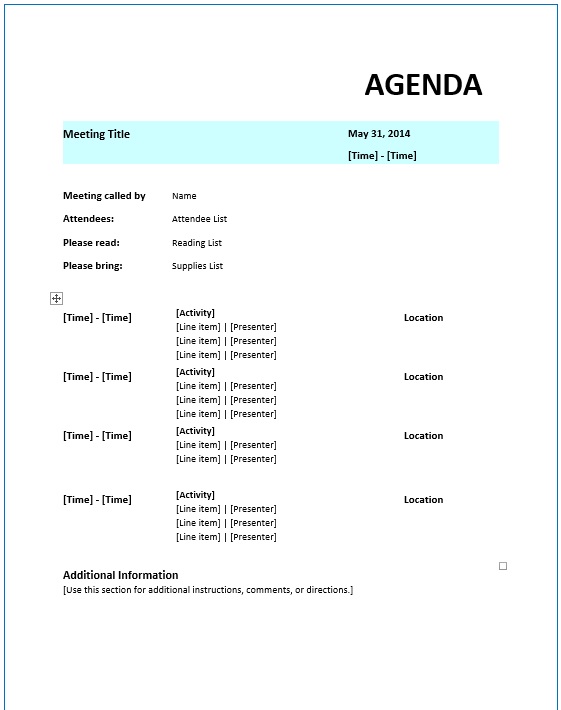
Popular Types of Meeting Agenda Templates
A meeting agenda is definitely not a one-size-fits-all document. The layout you choose depends entirely on the kind of huddle you are running whether it’s a quick Monday morning check-in with your staff, a formal board review, or a high stakes presentation with a new client.
Based on my over a decade of experience designing these, matching the right structure to your specific meeting style is what keeps things running smoothly. Here are the types I get asked for the most:
Team Meeting Agendas
This is the standard layout you will probably end up using the most for regular weekly or bi-weekly check-ins. I kept it focused entirely on the essentials: reviewing current project progress, troubleshooting roadblocks, and setting short-term goals for the days ahead. There is a dedicated section for each team member to give a quick status update, which keeps communication open and ensures no one gets sidetracked.
Staff Meeting Agendas
Staff meetings usually involve a larger department or the entire company company, so the layout needs to accommodate bigger announcements. I designed this template with clear structured sections for department reports, policy changes, and company updates. I also threw in a quick debrief section at the bottom so team members can voice concerns or bring up feedback, making sure the leadership and the staff stay perfectly aligned.
Board Meeting Agendas
When you are bringing together executives, stakeholders, or board members, the atmosphere is formal and you need a highly structured paper trail. This layout features formal sections for approving previous minutes, reviewing financial statements, voting on propositions, and discussing long-term governance. It is a simple layout. Simple, but it completely cuts out wasted time so the board can focus entirely on high-level decision-making.
Project Meeting Agendas
If you are managing a complex project with a lot of moving parts, a standard calendar overview won’t cut it. This template is built specifically for tracking major project milestones, resource updates, and tight deadlines. It gives project managers a straightforward way to look at the workload, spot weak links before they cause a delay, and reassign tasks in real-time to keep the project on track.
Client Meeting Agendas
When you are sitting down with a customer, looking prepared is everything. I designed this template to clearly outline the main objectives, key deliverables, and future action steps before the meeting even starts. Sending this over ahead of time sets clear expectations, proves to your client that you value their time, and builds an immediate sense of professional confidence in your work.
Sales Meeting Agendas
Sales huddles need to be fast-paced, high-energy, and goal oriented. This layout is structured to dive straight into the numbers, strategy adjustments, and pipeline forecasting. I made sure to include a dedicated spot for celebrating recent wins and sharing successful sales pitches, which helps keep team morale high and ensures everyone stays motivated to hit their targets.
Training or Workshop Agendas
For a training session or a workshop to actually stick, the timeline needs to be strictly organized. This template functions as a step-by-step itinerary, breaking down lesson topics and assigning a specific number of minutes to each lecture or hands-on activity. It is incredibly popular with trainers, HR departments, and school staffs who need to keep attendees engaged without running past the scheduled end time.
One-on-One Meeting Agendas
I put this layout together specifically for private check-ins between a manager and an employee. Instead of feeling like a stiff performance review, this format encourages a natural, healthy conversation about personal progress, career aspirations, and direct feedback. It ensures that both people show up with a clear idea of what they want to discuss, making the mentorship feel incredibly productive.
Tips for Running Effective Meetings
Let’s be completely honest having a great template printed out on the table is only half the battle. An agenda is just a piece of paper unless everyone in the room has the discipline to actually stick to it. Running an efficient meeting is a real skill. It takes a mix of solid preparation before the huddle starts and firm boundary setting once the clock is ticking to make sure you aren’t just wasting everyone’s afternoon.
If you want to stop spinning your wheels and start making real decisions, here is how I handle it:
Start with a Single, Clear Objective
If you don’t know exactly why you are calling a meeting, you shouldn’t be having one. Before you send out a calendar invite to your team, take thirty seconds to finish this sentence: “This meeting is successful if we leave with…” If you can’t answer that clearly, send a quick email instead. Having a defined goal helps you build a tight agenda and keeps the conversation from drifting into pointless side discussions that eat up your day.
Treat Your Agenda Like a Rulebook
Once the meeting kicks off, your main job is to guard the clock. If you allocated ten minutes to discuss a project budget, don’t let it stretch into thirty. If someone starts digressing or telling a long, winding story that doesn’t belong on the page, politely step in and offer to take it offline. It is a simple habit. Simple, but it teaches your team to keep their points concise and ensures you actually hit every single milestone on your list before the time runs out.
Force Participation and Assign Real Ownership
There is no point in having people sit in a room just to nod their heads while one person talks. Encourage your team to speak up, especially when a topic directly impacts their specific role. Most importantly, never close a meeting without summarizing the next steps. Before everyone walks out the door, make sure every single action item has a person’s name and a concrete deadline attached to it. That is the secret to turning a basic discussion into meaningful results.
