Download these 11 free travel brochure templates to create attractive promotional material for destinations, tours, vacation packages, travel agencies, hotels, attractions, and tourism campaigns. The collection includes Microsoft Word, PowerPoint, and PDF formats with layouts that can be adapted for printed handouts or digital travel information.
A good travel brochure does more than show attractive photographs. It helps a reader understand where they can go, what they can experience, how long a trip may take, what services or packages are available, and what they should do next if they want more information or wish to make a booking.
If you need layouts for other industries or promotional purposes, browse our complete collection of free brochure templates. That collection includes travel, educational, corporate, real estate, security, wedding, and other brochure designs.
What Is a Travel Brochure?
A travel brochure is a promotional or informational document designed to introduce a destination, tour, attraction, travel package, or tourism service. It normally combines photographs, concise descriptions, practical visitor information, and a clear call to action.
Travel agencies may use brochures to promote vacation packages, while hotels, tourism boards, resorts, attractions, cruise operators, and tour companies may use them to highlight specific experiences or destinations.
A brochure can also be created for school projects, destination guides, visitor centers, community tourism programs, or local events.
What Should a Travel Brochure Include?
The strongest travel brochures balance inspiration with useful information. Readers should be able to understand the destination quickly without having to read long blocks of text.
Destination Name and Main Message
Make the destination or travel offer immediately clear on the front panel or cover. A short headline can communicate the main attraction, such as a beach holiday, cultural tour, city break, mountain retreat, or family vacation.
High-Quality Destination Images
Travel brochures rely heavily on visuals, so choose photographs that accurately represent the places or experiences being promoted.
Use images large enough to reproduce clearly in print. Avoid stretching low-resolution pictures because blurred or distorted photographs can make an otherwise professional brochure look poor.
Key Attractions and Experiences
Highlight the places and activities most relevant to your audience. Depending on the destination, these might include museums, beaches, historical sites, parks, hiking routes, entertainment, cultural experiences, restaurants, shopping areas, or family attractions.
Do not try to list everything. A brochure works better when it focuses on a manageable number of strong reasons to visit.
Location and Transportation Information
Include practical information about where the destination is located and, where appropriate, how visitors can reach major attractions.
A simple map can be useful if the brochure covers several locations. Travel companies may also include transportation arrangements when they are part of a tour package.
Accommodation and Amenities
If accommodation is relevant, provide concise information about available hotels, resorts, guest houses, or other lodging options.
You may also mention useful amenities such as restaurants, visitor facilities, parking, accessibility information, or nearby services when those details are important to the traveler.
Tour or Vacation Packages
Travel businesses can use a brochure to summarize packages by duration, destination, included services, or travel style.
If you display prices, clearly explain what is included and check the information regularly. Travel prices, taxes, transportation charges, schedules, and availability can change.
Contact and Booking Information
Make it easy for interested readers to take the next step. Include the travel company or organization name, phone number, email address, website, booking instructions, or other appropriate contact details.
11 Free Travel Brochure Templates
The following 11 designs come from the existing PrintableSample travel brochure collection. The first two are identified as Microsoft Word templates, the third as a PowerPoint format, and the remaining eight as PDF templates.
Choose a layout based on how much information and photography you need. Some designs are suitable for compact destination promotions, while others provide more room for tours, packages, maps, and detailed travel information.


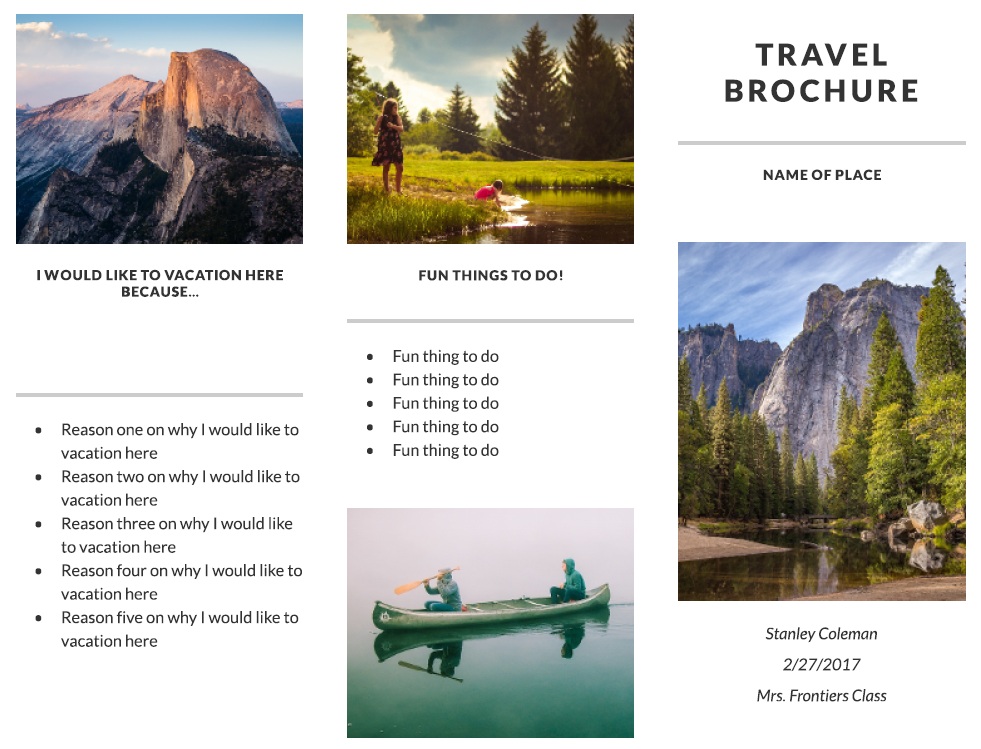

How to Design an Effective Travel Brochure
Before editing a template, decide what the brochure is supposed to achieve. A tourism-board brochure encouraging people to visit a city needs different content from a travel agency selling a seven-day vacation package.
Defining the purpose first makes it easier to decide what information deserves space and what can be removed.
Choose a Clear Target Audience
Think about who is most likely to read the brochure. Families, couples, students, luxury travelers, backpackers, business travelers, and adventure tourists may be interested in very different experiences.
The language, photographs, attractions, prices, and calls to action should reflect that audience.
Lead With a Strong Reason to Visit
Your headline and opening content should communicate the destination’s strongest appeal quickly. Focus on a genuine experience rather than filling the brochure with exaggerated adjectives.
For example, a mountain destination might emphasize hiking routes and scenic views, while a historic city might focus on architecture, museums, local culture, and walking tours.
Keep the Writing Concise
A brochure is not a long travel article. Use short paragraphs, informative headings, captions, and concise descriptions so people can scan the content quickly.
Simple language usually works better than overly decorative vocabulary because travelers are often comparing several destinations or packages at once.
Using Photos in a Travel Brochure
Images are one of the most important parts of travel marketing, but they should support the information rather than overwhelm it.
Choose photographs that accurately represent the destination and show different aspects of the experience. A brochure might combine a major landmark, landscape, accommodation, food, cultural activity, or recreational experience.
Avoid placing text over busy sections of a photograph where it becomes difficult to read. Maintain enough contrast between text and background areas.
Use Accurate Images
Do not use photographs from unrelated locations simply because they look more dramatic. Visitors may make decisions based on the images presented, so the brochure should represent the actual destination, property, tour, or experience being promoted.
Travel Brochure Layout and Folding
Brochures are often designed as bi-fold or tri-fold documents. The fold pattern determines where readers encounter each part of the message.
A tri-fold travel brochure commonly uses the front panel for the destination name and main image, interior panels for attractions and package information, and the back panel for contact or booking details.
Whatever layout you choose, keep important text away from fold lines and page edges.
Print a Test Copy
Before printing a large quantity, print one test brochure at actual size and fold it manually. Check that photographs are positioned correctly, text remains readable, panels appear in the intended order, and no important content falls into the fold.
You can explore additional bi-fold, tri-fold, and general-purpose layouts through our brochure template collection.
Travel Brochure vs. Tourist Brochure
The terms travel brochure and tourist brochure are often used interchangeably, but there can be a slight difference in emphasis.
A travel brochure often promotes a specific tour, holiday package, travel company, resort, or itinerary. A tourist brochure may focus more broadly on a destination and provide information about attractions, activities, accommodation, transportation, or local services.
In practice, one brochure may serve both purposes. The most important consideration is whether the information matches what the intended traveler needs.
Travel Brochure vs. Travel Itinerary
A brochure promotes and summarizes a trip, while an itinerary provides a more detailed schedule of what will happen during the journey.
For example, a brochure might advertise a seven-day tour and highlight the main cities and attractions. The corresponding itinerary may specify where travelers will be each day, departure times, activities, meals, accommodation, and transportation.
If you are organizing the trip rather than promoting it, our planner templates can provide additional formats for scheduling travel activities and vacation plans.
Adding Travel Packages and Prices
If you are using a brochure to sell a vacation or tour package, state clearly what the advertised price includes.
Possible inclusions might be accommodation, transportation, meals, tours, entrance charges, transfers, or other services. If something important is excluded, make that clear as well.
Travel information can change, so add appropriate validity dates where prices, schedules, availability, or seasonal packages are involved.
Avoid Overloading the Brochure With Fine Print
The brochure should provide enough information for the reader to understand the offer, but lengthy contractual conditions are usually better provided separately.
Use the brochure to explain the main package and direct readers to complete booking terms where appropriate.
Using Testimonials in a Travel Brochure
Customer comments can add credibility when they are genuine, relevant, and used with appropriate permission.
Do not invent testimonials or attribute statements to unnamed travelers as though they were verified reviews. If authentic customer feedback is available, use brief comments that relate directly to the destination, tour, accommodation, or service being promoted.
Preparing a Brochure for Digital Sharing
A travel brochure does not have to be distributed only on paper. A finished brochure can also be shared electronically as a suitable digital document.
Before distributing a digital version, check that photographs remain clear, text is readable at normal screen size, and any website or contact information is correct.
If the brochure will be printed as well, keep a print-ready master version so image quality and layout are not reduced by repeated file conversion.
Planning the Trip Beyond the Brochure
A brochure is useful for choosing or promoting a destination, but travelers still need practical preparation once a trip is confirmed.
For organizing clothing, documents, electronics, toiletries, and other essentials, our travel packing list templates can help reduce the chance of forgetting important items.
You can also use our printable planner templates to organize vacation dates, activities, reservations, and other travel arrangements.
Frequently Asked Questions About Travel Brochures
1. What is a travel brochure?
A travel brochure is a promotional or informational document used to introduce a destination, tour, travel package, attraction, resort, or tourism service to potential visitors.
2. What information should a travel brochure contain?
Useful information may include the destination name, photographs, attractions, activities, accommodation, transportation details, maps, tour packages, prices, booking information, and contact details.
3. How many pages should a travel brochure have?
There is no single required length. Many brochures use a single sheet in a bi-fold or tri-fold format, while more detailed destination guides may use several pages.
4. What makes a good travel brochure?
A strong brochure combines accurate information, attractive images, concise writing, clear organization, readable typography, and an obvious next step for the reader.
5. Should a travel brochure include prices?
It can. If you include prices, clearly state what is included and consider adding a validity period because travel rates and availability can change.
6. Can I create a travel brochure in Microsoft Word?
Yes. The first two templates on this page are identified as Microsoft Word formats and can be used as starting points for travel brochure layouts.
7. Can PowerPoint be used to design a brochure?
Yes. PowerPoint can be useful for positioning text boxes, photographs, and graphical elements on a page. The third download in this collection is identified as a PowerPoint template.
8. What is the difference between a travel brochure and an itinerary?
A brochure promotes or summarizes the travel experience, while an itinerary provides the detailed schedule for the trip.
9. Should I include customer testimonials?
Testimonials can be useful when they are authentic and used appropriately. Avoid creating fictional customer comments or presenting unverifiable statements as genuine reviews.
10. Should I print a test brochure before making multiple copies?
Yes. A test print allows you to check image quality, panel order, margins, folds, font sizes, and whether important information is positioned correctly before printing a larger quantity.
