A lunch menu is not a shortened dinner menu. Lunch customers are working to a clock, spending less, and often choosing from a set price. The menu has to let someone decide in under a minute.
The templates below are free to download and edit in Word or a PDF editor. Below them is what actually changes between a lunch and a dinner menu, how to lay out prices, and the one piece of menu-design advice everyone repeats that the research does not support.
Free Lunch Menu Templates

Single Page Lunch Menu
One page, sectioned by course. The simplest starting point for a café or small restaurant.
File Type: MS Word (ZIP File)

Lunch or Supper Menu
Two-column layout that works for either service, so one file covers both if your dishes overlap.
File Type: MS Word (ZIP File)

Restaurant Lunch Menu
Headed sections with room for descriptions under each dish. Suits a full lunch service rather than a short counter menu.
File Type: MS Word (ZIP File)

Chinese Food Lunch Menu
Numbered dish listing, which is how most Chinese and takeaway menus are ordered from. Useful for any menu taken over the phone.
File Type: MS Word (ZIP File)

Healthy Lunch Menu
Structured around lighter dishes, with space for calorie or nutrition notes if you need to show them.
File Type: PDF (ZIP File)
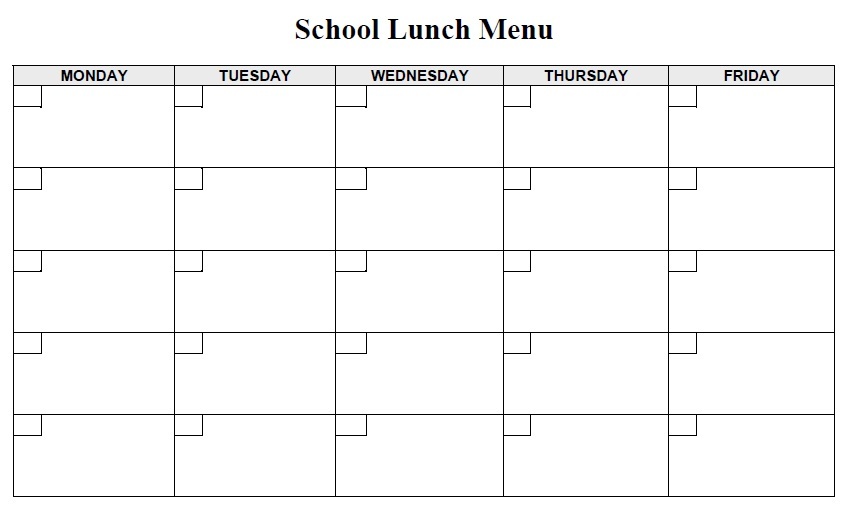
School Lunch Menu
A weekly grid rather than a priced list – the format canteens and school offices need. More of these on our school menu page.
File Type: PDF (ZIP File)

Print-Ready Lunch Menu
Laid out to print without adjustment. Fill in the dishes and prices and go.
File Type: PDF (ZIP File)
What Makes a Lunch Menu Different
The same kitchen, the same room, a different menu. Five things change.
Time. A lunch customer often has forty minutes, and perhaps half of that is the meal. Anything that slows the decision costs you a table. This is the reason lunch menus are short and dinner menus are not.
Price. Lunch spend is lower and more price-sensitive, because it is a routine purchase rather than an occasion. The same customer who will not query a dinner bill will compare lunch prices across three places on the same street.
Portions and courses. One course with the option of a second, rather than three with the option of a fourth. A lunch menu that reads like a dinner menu makes people feel they are being asked to commit to more than they want.
Set prices. Meal deals, combos and set menus are overwhelmingly a lunch phenomenon. They remove the decision, which is exactly what a hurried customer wants, and they protect your margin by fixing what goes together.
How often it is reprinted. Dinner menus change seasonally. Lunch menus often carry a daily special, which means the layout has to tolerate a change every day without being redesigned. Build the specials into a defined box, or print them on a separate insert.
Prices and Layout
Where to Put the Prices
Put the price immediately after the dish description, in the same typeface and the same size as the text around it.
Do not align prices in a right-hand column, and do not join them to the dish with a row of dots. Both turn the menu into a price list and invite the customer to read down the numbers and pick the cheapest thing, which is not the order you want them reading in. This is the single most common fault in a menu built from a template, because a column is the easiest thing to produce in Word.
Dropping the Currency Symbol
Many restaurants write prices as plain numerals – 14 rather than Rs 14 or $14. The reasoning is that the symbol is what signals “spending” and the number alone reads as a quantity. There is research pointing that way, though the effect is modest rather than dramatic.
It works where the currency is obvious from context. On a menu that tourists or international customers will read, leave the symbol in — a diner who cannot tell what currency a price is in is a worse problem than one who notices the symbol.
The “Golden Triangle” Is Not Real
You will read everywhere that diners’ eyes land first on the upper right of a menu, then the upper left, then the centre, and that you should put your most profitable dish in that “sweet spot”.
Eye-tracking studies have repeatedly failed to confirm it. Diners read menus much more linearly than the folklore claims — top to bottom, section by section. The advice persists because it is memorable and because it sounds like a trade secret, not because it holds up.
What does hold up is simpler. Items at the top and bottom of a section get read more than items buried in the middle, so put what you want to sell at either end of a list rather than in the middle of it. And keep the list short enough that there is no middle.
How Many Items per Section
Around seven is a sensible ceiling, and five is better on a lunch menu. Past that, choosing becomes work, and a customer who cannot decide orders the thing they already know rather than the thing you make the most on.
A short menu also tells the customer something true: that the kitchen cooks these dishes properly rather than holding ingredients for forty.
Writing Dish Descriptions
Name the dish, then say what is in it. Two lines at most.
Lead with the ingredient people are choosing for. “Grilled chicken, lemon and herb, with flatbread” works; “Our chef’s signature creation” does not, because it tells the reader nothing they can decide on.
Mark the things people filter by, and mark them consistently – vegetarian, vegan, contains nuts, spicy. A customer scanning for one of these will give up on a menu that makes them read every description to find out.
Check your local rules on allergen declaration. In many countries a food business is required to be able to state the allergens in every dish, whether or not they appear on the printed menu, and a “may contain” blanket notice does not usually satisfy it.
Set Menus and Lunch Deals
A set lunch does two things: it removes the decision, and it fixes your food cost.
Keep the structure obvious – two courses at one price, three at another – and keep the number of choices within each course to three or four. The point of a set menu is that it is faster to order from than the main menu, and a set menu with eight options per course is not.
Price it against the à la carte total, not against your competitors. A set menu that saves the customer nothing reads as a trick; one that saves them a third of the price trains them to wait for it.
If your set lunch has time limits, print them. “Available Monday to Friday, 12 until 3” on the menu prevents the argument at the till.
Printing and Reprinting
Lunch menus take more handling than dinner menus – more covers, faster turnover, more spills.
For a menu that lives on the table, print at 250-300 gsm and laminate, or use a menu cover with a replaceable insert. For a menu that changes daily, print on ordinary 120 gsm paper and accept that it is disposable; laminating something you throw away tomorrow is a waste.
Keep the daily special off the main menu. A separate insert, a clip-on strip or a board means a price change costs one sheet of paper rather than a reprint of everything.
A4 is the practical size for a single-sheet lunch menu, and A5 for a counter or table card. If you are printing double-sided, check the margin on a test sheet before the run — most home and office printers cannot print to the edge, and a full-bleed design comes out with a white border.
School and Office Lunch Menus
These are a different document despite the name. A school or workplace canteen menu is a weekly or monthly grid showing what is served on each day, with no prices and often with nutrition information. It is a schedule, not a sales document, and none of the pricing or layout advice above applies to it.
- School menu templates – weekly and monthly canteen grids
- Office menu templates – for staff canteens and catered workplaces
- Menu planners – for planning meals in advance rather than presenting them
More Menu Templates
- Dinner menu templates – the longer, slower counterpart to this page
- Breakfast menu templates
- Bar menu templates
- Italian menu templates
- Christmas menu templates
- Thanksgiving menu templates
- Birthday menu templates
- Dinner invitation cards – if the menu is for a private event
Frequently Asked Questions
A short list of dishes grouped into sections, a one-line description of each, the price beside the description, any set-menu or deal pricing with its availability times, and consistent markers for vegetarian, vegan and allergen information.
Lunch customers have less time, spend less, and want fewer courses. Lunch menus are shorter, lean on set prices and meal deals, and usually carry a daily special, so the layout has to tolerate frequent change.
Around five per section, and seven at the most. Beyond that, choosing becomes work and customers default to what they already know rather than what you want to sell.
Immediately after the dish description, in the same typeface and size as the surrounding text. Avoid a right-hand price column and avoid dotted leaders — both encourage the customer to read down the prices and choose on cost.
Plain numerals are common practice, on the reasoning that the symbol is what signals spending. The effect appears real but modest. Keep the symbol if tourists or international customers will read the menu, since an unclear currency is the worse problem.
No. Eye-tracking research has repeatedly failed to confirm that diners look at the upper right of a menu first. People read menus fairly linearly. What does hold up is that items at the top and bottom of a section get noticed more than items in the middle.
How do I handle daily specials?
Keep them off the main menu. Use a separate insert, a clip-on strip or a board, so a change costs one sheet of paper instead of reprinting everything.
250 to 300 gsm and laminated for a menu that stays on the table, or 120 gsm plain paper for one that changes daily. A4 suits a single-sheet menu and A5 a table or counter card.
Requirements vary by country, but a food business is commonly required to be able to state the allergens in any dish on request, whether or not they are printed. A blanket “may contain” notice usually does not satisfy that. Check your local food authority’s rules.
Yes. Every template on this page can be downloaded, edited and printed free, including for commercial use in your own restaurant or café.

Pingback: Italian Menu Templates & Correct Course Order Explained
Pingback: Free Menu Planner Templates - Weekly & Monthly Meal Plans