Cover Page Design for any Assignment is all about the first page of any student or professional paper submission which contains essential details about the work done. It is the mode of introductory and in that sense contemporary the provision of the surface of the task. A certain standardization is achieved by giving a required, but simple, attractive cover page to the assignment.
Over the years I have noticed that a lot of students put hours of hard work into their research, only to slap a bland, messy title page on top right before submitting. I get it. You are tired, the deadline is an hour away, and formatting margins in Word is the last thing you want to do.
That is exactly why I put this collection together.
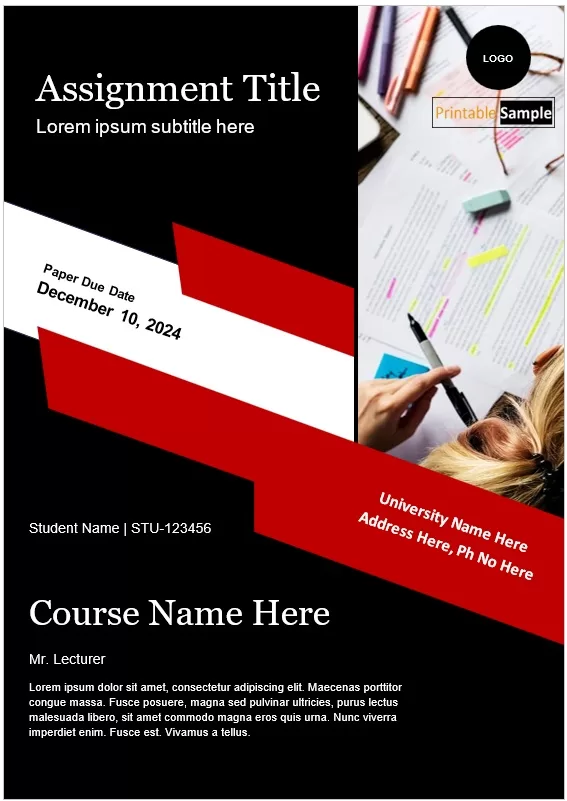
I have designed a whole set of editable cover page designs for assignments that you can grab, edit, and print out in just a few minutes. Whether you need a simple academic title page layout, a modern design with a subtle border for a school project, or a clean MS Word assignment front page template, I’ve made sure there is something here for every subject.
My over a decade of working with printable layouts tells me that most people don’t want flashy or overly complicated graphics on their work. You just want a crisp, professional assignment front page with properly aligned fields for your paper title, course name, student ID, and submission date — without the text jumping to the second page when you type your name.
Common Elements of an Assignment Cover Page:
Every school or university has its own rules, but speaking from experience — and I have designed quite a lot of these — almost every assignment front page needs the same core set of information.
If you get these right, your instructor will have everything they need at a glance. Miss one, and you might end up with points deducted before they even read your first paragraph.
Here are the key details you should make sure to include:
- Paper Title & Subtitle: This should be the main focal point of the page. Keep the main title bold and clear so it stands out immediately.
- Your Full Name & Student ID: Make sure your roll number or student identification code is typed out clearly right below your name.
- Course Name & Code: Always include the official course title along with its code (like ENG-101 or BUS-302).
- Instructor’s Name & Designation: Double-check the spelling of your professor or tutor’s name. It sounds obvious, but it gets missed surprisingly often.
- Department & Institution Name: The name of your faculty or school (for instance, Department of Computer Science).
- Submission Date: Write out the full date so there is zero confusion about when you handed it in.
Now, what I personally like about the templates I’ve shared here is that I already set up the layout and spacing for all these details. You don’t have to fiddle with line spacing or push text around trying to get it centered.
Just click into the placeholder text, swap in your own details, and the whole thing stays neatly lined up and print-ready.
Free Cover Page Designs For Assignments
I have tested all of these layouts in Microsoft Word and Google Docs so they line up cleanly on standard A4 and US Letter paper sizes. And honestly, they are completely ready to use right out of the box.
Scroll down, pick the layout that fits your assignment best, type in your details, and you are good to go!



Benefits of using Cover Page Templates For Assignments:
Let me be straightforward about this — nobody actually likes setting up margins and line spacing from scratch.
When you’re racing against a deadline, spending 45 minutes trying to get a logo centered on a page is just frustrating. I know this for sure from my own past experience, and it’s the main reason I started creating these printable layouts in the first place.
Here is why picking up a ready-made front page makes a lot of sense:
- Saves you serious time: Instead of wrestling with Word formatting, you just download a file, type your name and paper title, and print it out. The whole thing takes about 2 minutes.
- Keeps your work looking sharp: A clean, well-spaced title page gives your paper an immediate look of quality before the instructor even turns the first page.
- No formatting headaches: I have already handled the margins, font scaling, and alignment. That means your text stays where it’s supposed to be — no accidental extra blank pages created at the bottom!
- Easy to customize: These aren’t rigid images. They are fully editable files, so if you need to tweak a font size, change a color, or add an extra line for a co-author’s name, you can do it in a few clicks.
From what I have seen, students who use these templates usually end up using the same layout for their entire semester. It gives all your submissions a consistent, organized look, which, by the way, professors definitely notice.
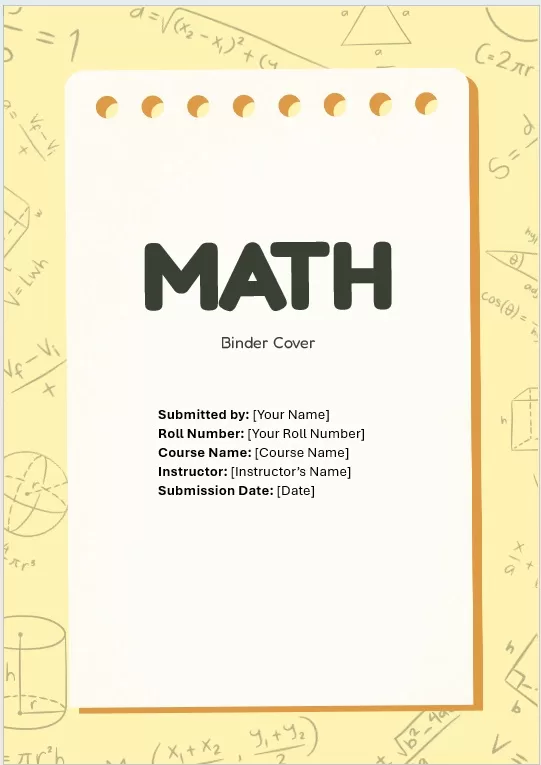
More Free Cover Page Designs:
Here are more free cover page design templates to assist you in preparing and printing one suitable for your requirements.




Frequently Asked Questions
I get questions about these templates all the time, so I put together quick answers to the ones that come up most often.
Are these cover page templates really free to download?
Yes, 100%. Everything on PrintableSample.com is completely free. You don’t need to sign up for an account, put in a credit card, or join any email list. Just pick the layout you like, hit the download link, and it’s yours to use.
What file formats do these assignment front pages come in?
I mostly design these in Microsoft Word (.docx) format because it is what most students use and edit easily. I also provide PDF versions for quick printing if you just want to write your details in by hand, or open them in tools like Google Docs and Canva.
How do I edit these templates in Google Docs?
It is super simple. Download the .docx file to your computer, open your Google Drive, and upload the file there. Double-click to open it, and Google Docs will let you edit the text and placeholders right in your browser without breaking the layout.
Will these layouts fit standard printer paper?
They sure will. I set all my printable layouts up with standard 1-inch margins on both US Letter and A4 paper sizes. They are print-ready right out of the box, so you won’t have to deal with awkward cropping or text cutting off at the edges.
Can I change the colors or fonts on these title pages?
Absolutely. Nothing is locked down. If your university requires a specific font like Times New Roman or Calibri, you can highlight the text and change it in two clicks. You can also tweak the accent colors or borders to match your subject matter.
Do I need to credit PrintableSample.com on my assignment?
No, not at all! These are for your personal and academic use. You don’t need to leave any watermark, credit line, or link on your final printed paper. Just fill in your details, submit your work, and get the grade you worked for.
